

Characters and the Canon Inbox
Approve or reject suggestions in the Canon Inbox
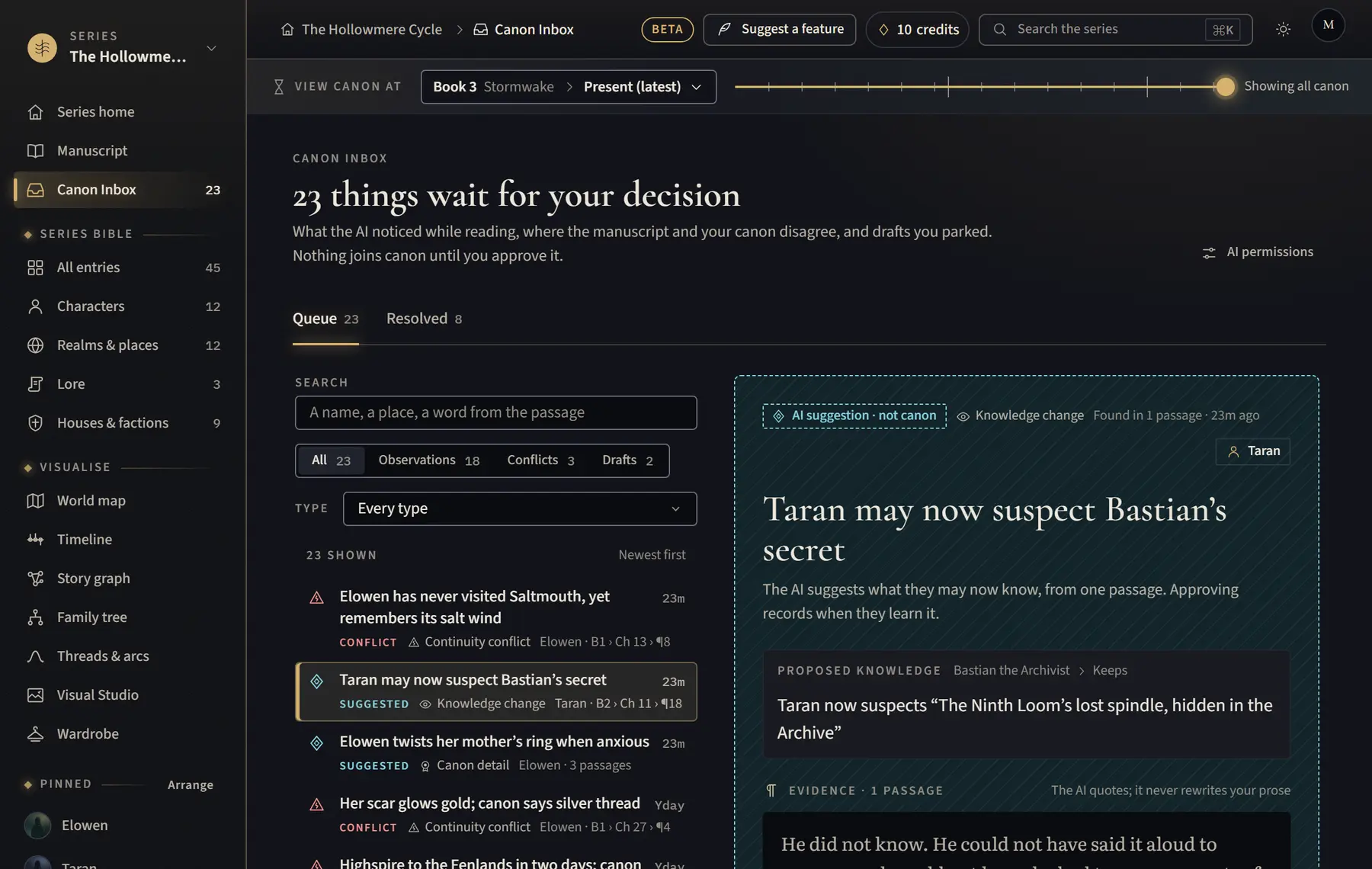
The Canon Inbox holds AI suggestions, possible conflicts and drafts you parked, until you decide.
- Click Canon Inbox in the menu on the left.
- Narrow the list with Search and the buttons All, Observations, Conflicts and Drafts. Type shows when more than one kind is waiting.
- Click an item to see the suggestion and the passages it came from.
- For a suggestion, click Approve as canon, or Edit to change the wording and then Approve edited. Or click Reject or Ignore.
- To keep a suggestion on purpose, click Mark intentional, say why under Why keep it as it is?, then click Mark intentional again.
- For a possible conflict, choose Fix manuscript, Update canon, Mark intentional or Not now.
Good to know
- Keyboard: J and K move through the list, A approves, E edits, R rejects and U undoes.
- Open the Resolved tab to see everything you decided, with Undo on each.
- If a new entry looks like one you already have, use Merge into… instead of approving it.
Related
All help · Still stuck? Write to support@sagastudio.ink.