

Reading with AI
Why AI suggestions aren’t canon until you approve them
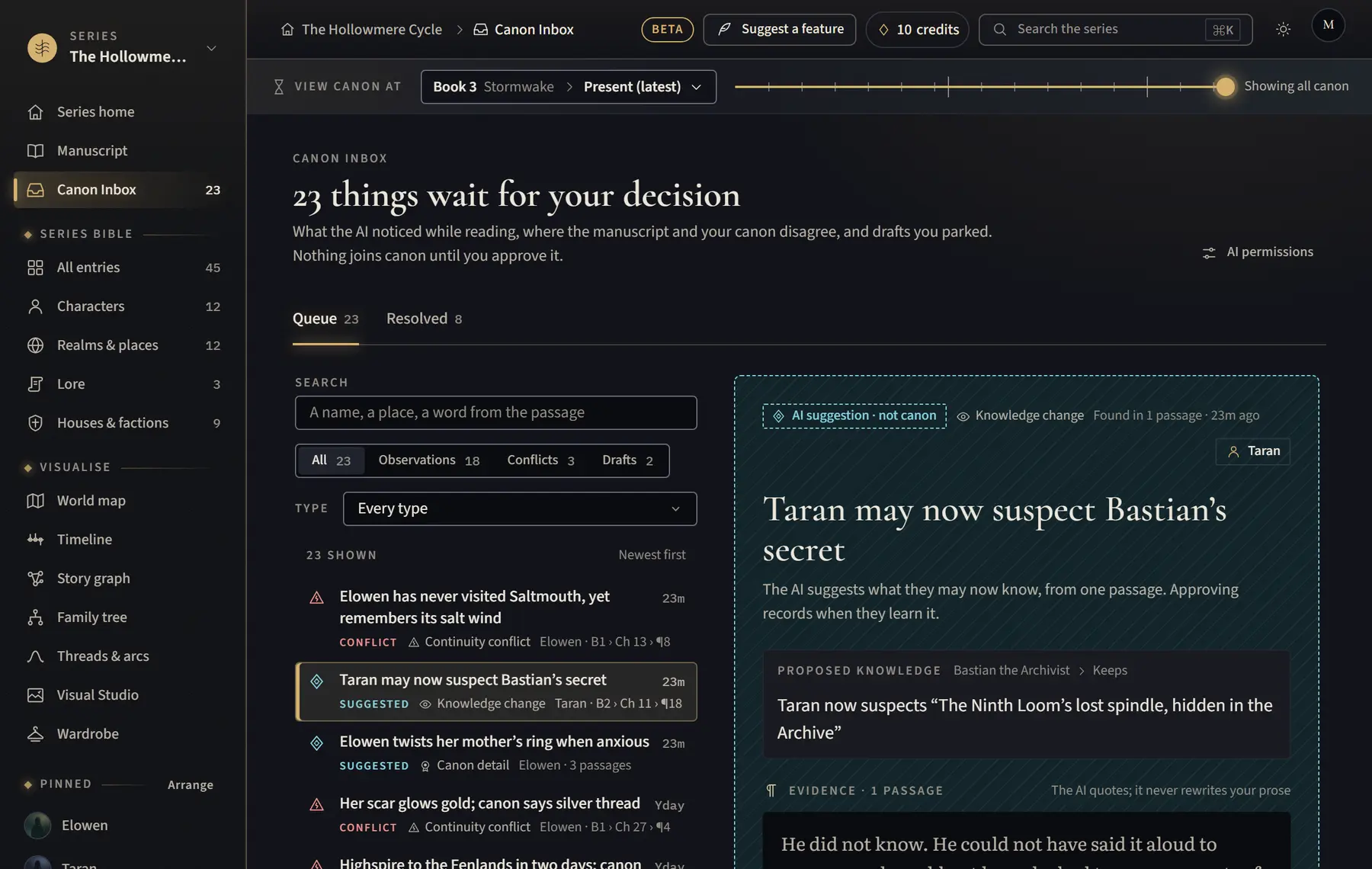
AI never writes into your bible or manuscript; everything it finds waits for you.
- When AI reads, what it finds goes to the Canon Inbox, marked with an open diamond and “AI suggestion · not canon”.
- Each suggestion cites the passages it came from, so you can check it.
- Nothing joins your bible until you click Approve as canon (or Approve).
- Approved entries and facts take the seal and become canon.
Good to know
- Rejecting or ignoring a suggestion never changes your canon.
- This is how the studio works, so it is not a setting.
Related
All help · Still stuck? Write to support@sagastudio.ink.