

Reading with AI
Turn AI off or choose what it may read
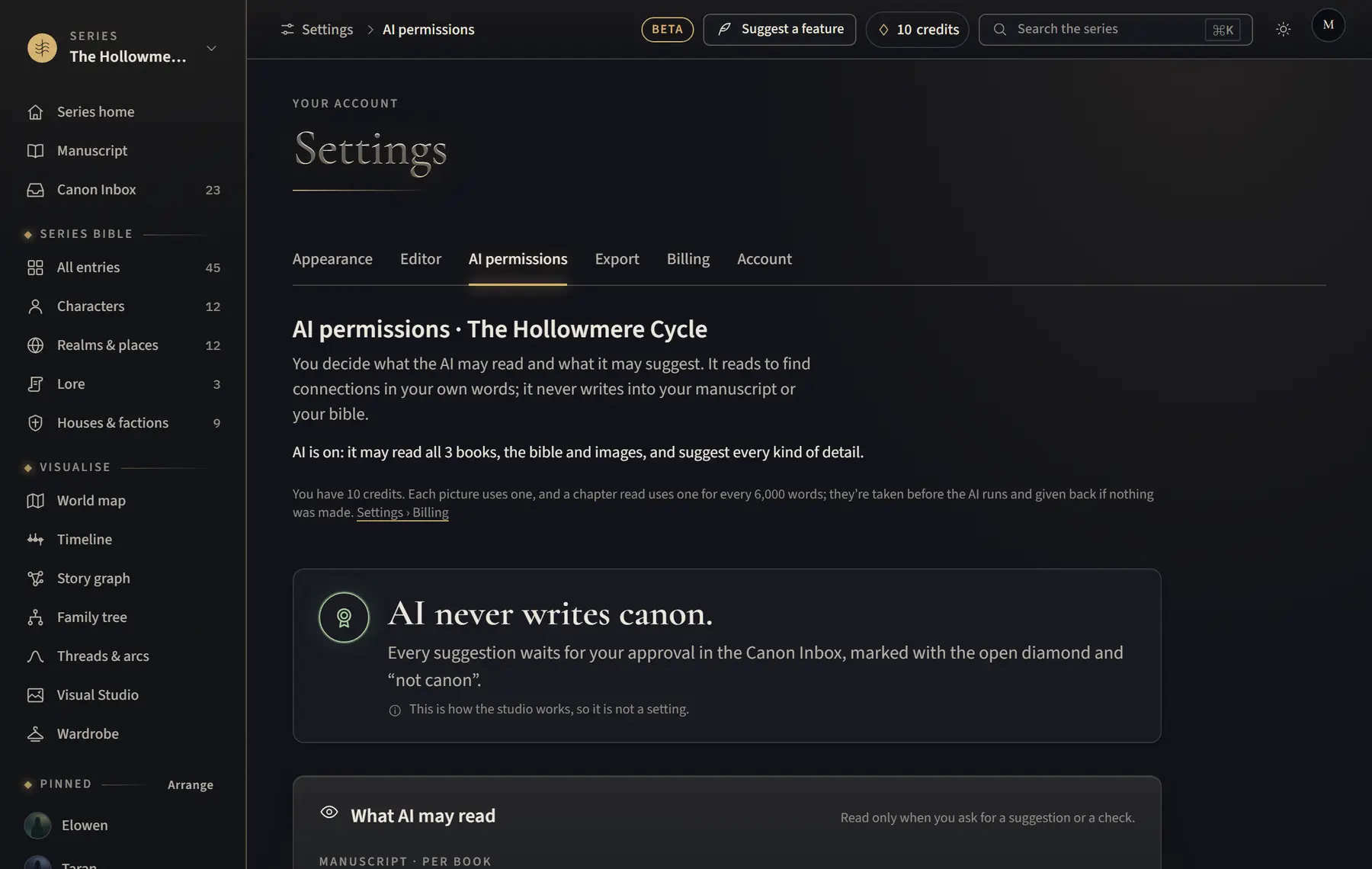
You decide, for each series, what the AI may read and suggest, or turn it off entirely.
- Open the series’ Canon Inbox and click AI permissions at the top, or open Settings › AI permissions. The heading names the series you are changing.
- If you have more than one series, choose the one you want under Series at the top of the page, then click Open.
- Under What AI may read, choose for each book Read all chapters, Read drafted chapters only or Excluded from AI.
- Turn the switches under What AI may read and What AI may suggest on or off. Changes save on their own.
- To stop all AI, click Turn off AI…, then Turn off AI.
Good to know
- With AI off, every AI button and suggestion is hidden. Your canon and drafts stay as they are, and Turn AI on keeps your earlier choices.
- The AI only reads when you ask for a read or a check, and your work is not used to train models.
- Read drafted chapters only suits a book in progress: chapters with no text yet are left out.
Related
All help · Still stuck? Write to support@sagastudio.ink.