

Writing
Add a new scene while you write
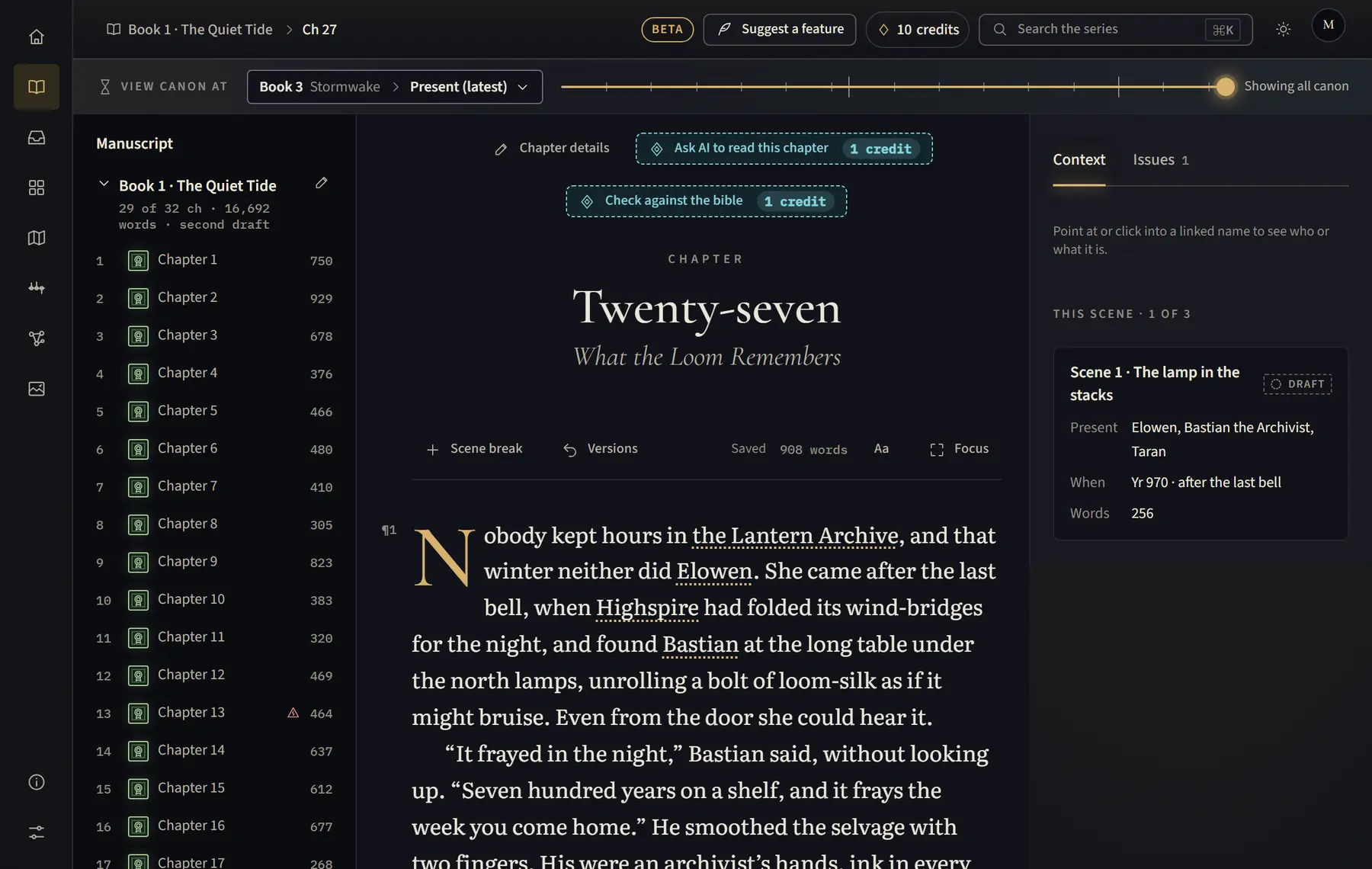
Split a chapter into scenes with a scene break, from the toolbar that stays at the top as you scroll.
- Open the chapter and click where the new scene should start.
- Click Scene break in the bar above the text, or press Ctrl+Shift+Enter (⌘ Shift Enter on a Mac).
- Keep writing. The new scene shows under the chapter in the list on the left the next time you open the chapter.
Good to know
- The bar with Scene break stays pinned at the top while you scroll, so you can add a scene anywhere in a long chapter.
- When you import, lines such as * * * or ⁂ on their own become scene breaks.
Related
All help · Still stuck? Write to support@sagastudio.ink.