

Getting started
Create a new series
A series holds your books, characters, places and canon, and takes a few short steps to set up.
- On Your series, click Start a new series (or Start a series if your shelf is empty). On a wide screen inside a series, you can also open the series menu at the top left and choose New series.
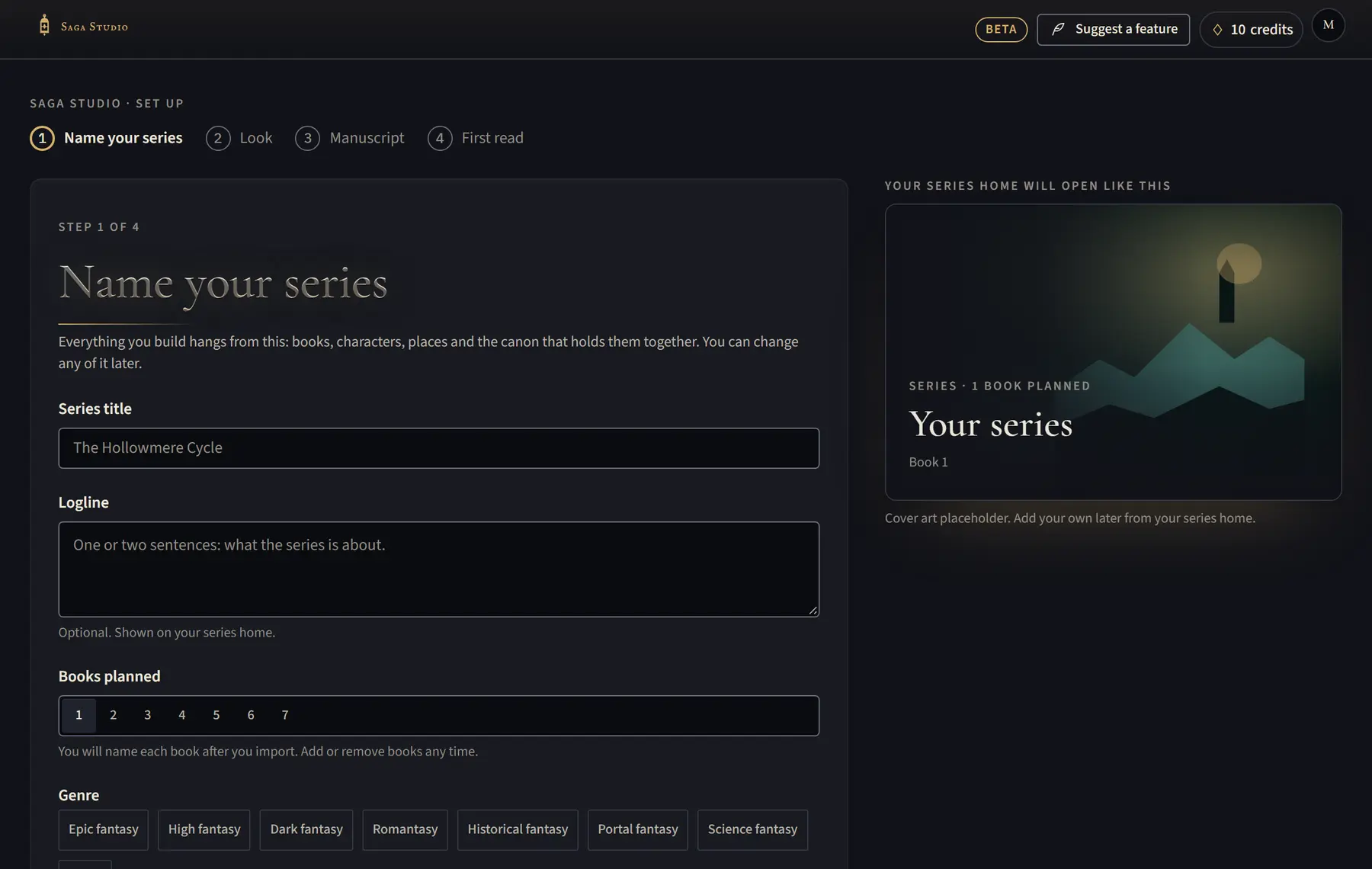
- Fill in Series title. Logline and Genre are optional; the genres help the first read recognise titles, ranks and invented words.
- Choose how many Books planned, then click Continue.
- Pick an Accent and a Theme, then click Continue (or Skip for now).
- Choose Import a manuscript to bring in your book, or Start with an empty bible to build it by hand.
Good to know
- You can click Save and finish later at the top of any step once the series has a name.
- Everything you choose here can be changed later.
- On the first two steps, press Ctrl+Enter (⌘ Enter on a Mac) to continue.
Related
All help · Still stuck? Write to support@sagastudio.ink.