

Writing
Keep a version or go back to an earlier one
Save a named copy of a chapter before a big rewrite, or bring back an earlier version.
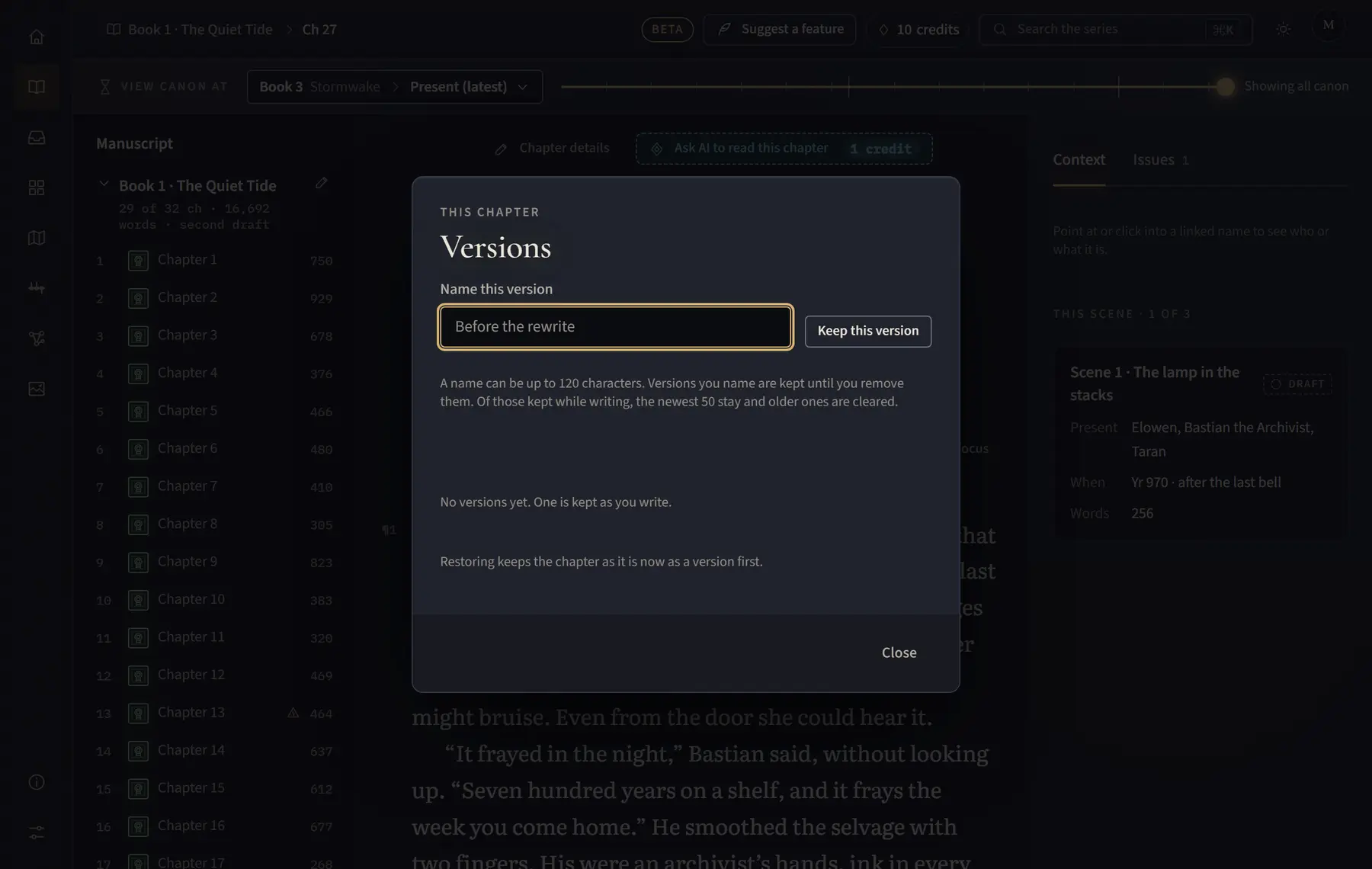
- Open the chapter and click Versions in the bar above the text.
- To keep the chapter as it is now, type a name under Name this version and click Keep this version.
- To go back, find the version in the list and click Restore.
- Click Close when you are done.
Good to know
- Restoring keeps the chapter as it is now as a version first, so nothing is lost.
- Versions you name are kept until you remove them. Versions kept while writing are cleared once there are more than 50.
- An imported chapter keeps an “Imported” version.
Related
All help · Still stuck? Write to support@sagastudio.ink.